
A food expiry tracker that starts the clock for you.
Most food isn't thrown away because it went off unexpectedly. It's thrown away because nobody remembered it was there.
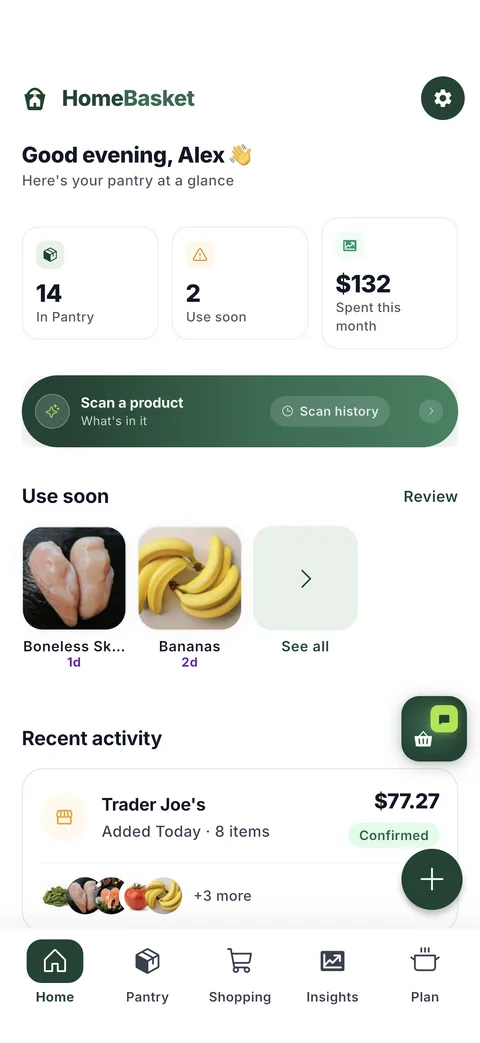
Every item in your pantry gets a shelf-life estimate from the day you bought it, drawn from the USDA's FoodKeeper data. You don't type in a date, and you don't set a reminder — the clock starts the moment the receipt is confirmed.
How the estimate is made
From the purchase date, not the scan date
The receipt carries the day you shopped, so the window is anchored to when the food actually entered your kitchen — not to when you got round to photographing the receipt.
From published shelf-life data
Estimates come from USDA FoodKeeper, a public dataset of how long foods keep. It distinguishes pantry, fridge and freezer, so the same food gets a different answer depending on where it is stored.
Adjusted for how it was sold
A carton of juice from the chilled aisle and a shelf-stable box of the same juice keep for very different lengths of time. HomeBasket reads which one you bought and uses the right figure.
Overridable by you
If you can see the printed date, set it. Your date wins over the estimate everywhere, and you can clear it again to fall back to the estimate.
What happens as the window closes
Colour first, then a nudge
A green dot means fresh, amber means use soon, red means act now — visible on the pantry without opening anything. When items are genuinely at risk, they're surfaced rather than left to be discovered.
Recipes that rescue it
When something is near its window, recipes that use it are ranked above recipes that merely appeal. Waste beats taste, deliberately.
Used or tossed, honestly recorded
When something leaves the pantry you can say whether you used it or threw it away. Those are different facts, and keeping them apart is what makes a waste figure worth anything.
What it will not pretend to know
A shelf-life estimate is an estimate. HomeBasket does not know how warm your car was on the way home, or whether the carton has been opened since. The dates are described as estimates because that is what they are, and your own date always overrides them. Long-life items are never quietly assumed gone.
Questions
Do I have to enter expiry dates myself?
No. Every item gets an estimate from its purchase date using USDA FoodKeeper data. You can set a real date when you can see one printed, and yours takes precedence.
Where does the shelf-life data come from?
USDA FoodKeeper, a public dataset covering how long foods keep in the pantry, fridge and freezer. It is a public source you can check yourself.
Will it tell me food is unsafe to eat?
No. These are estimates of quality windows, not safety verdicts. Use your own judgement, and treat the dates as a prompt to look rather than an instruction to throw away.
What if I open something early?
Set the date yourself and it overrides the estimate. Tracking opened-versus-sealed automatically is not something HomeBasket claims to do.
Does it nag me?
It shows state on the pantry with colour, and surfaces items that are genuinely at risk. Notifications for expiring food are available and batched rather than fired one at a time.
Get early access
HomeBasket is in testing with a small group of households. Join the list and we'll tell you when it opens up.
Join the waitlistFree to start. Your receipts stay private to your household.
More about HomeBasket: The pantry the clock runs on · Recipes that use it first · Where the purchase date comes from · why we built it