
A grocery receipt scanner that reads the cryptic lines.
Receipts aren't written for you. They're written for a till. KS CONV GRYGT is Kirkland Signature Conventional Greek Yogurt, and no ordinary scanner will tell you that.
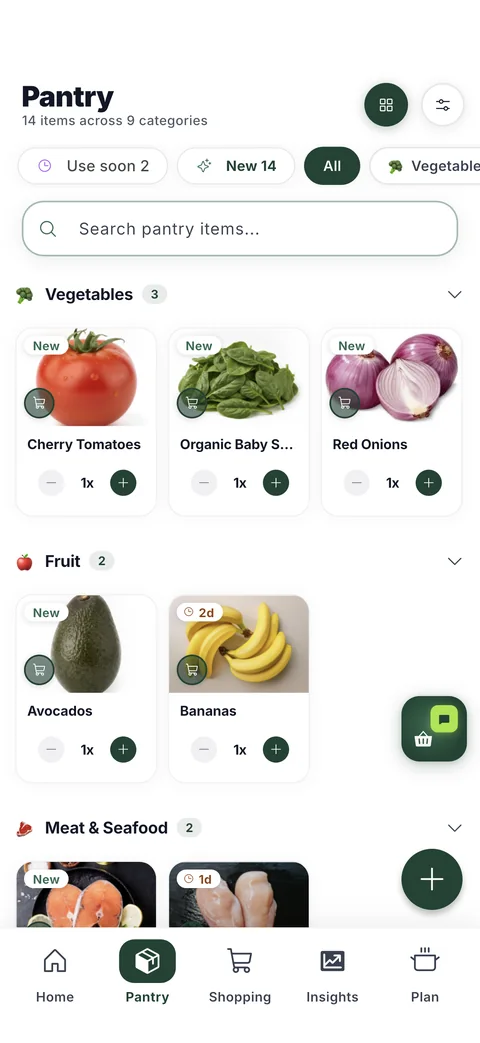
HomeBasket reads the whole receipt — the abbreviations, the store codes, the quantities and the prices — and turns it into a list of real foods you recognise. You check it, fix anything that came out wrong, and confirm. What you confirm becomes your pantry.
What actually happens when you snap one
Photograph it, crop included
Take the photo after any shop. On a phone, the scanner detects the edges and deskews the receipt before anything is read — a receipt isolated from a noisy table reads dramatically more accurately than one shot flat against it.
Every line is decoded, not just totals
Item codes are expanded into recognisable food names, sorted into categories, with quantities and prices kept. Payment lines, coupons and negative amounts are identified as such rather than becoming phantom groceries.
You review before anything is saved
The result is a list you can edit. Change a name, fix a price, correct a quantity, or drop a line entirely. Nothing reaches your pantry until you confirm it.
The arithmetic is checked
Line totals are added up against the printed total. When they disagree, the receipt is flagged for review and the specific problem is named — rather than a vague warning on every receipt.
Why the review step exists
A receipt photo read by a model is a reading, not a fact. Most lines come out right; some don't, particularly on crumpled thermal paper or unusual store formats. Showing you the result and letting you correct it is the difference between a pantry you trust and one you stop believing after the second wrong entry.
Your corrections stick. The raw text of the receipt is never overwritten — it stays as the record of what the paper actually said — and your edit sits on top of it.
What it becomes
One photo feeds everything else: your pantry inventory builds itself, shelf-life estimates start from the purchase date, your shopping list learns each item's rhythm, and recipes get matched against what you genuinely own.
Questions
Which stores does the receipt scanner work with?
Any of them. HomeBasket reads the receipt as an image rather than integrating with a particular retailer, so it is not limited to a list of supported chains. Store-specific abbreviations are decoded from the text itself.
What if it reads something wrong?
You fix it in the review screen before confirming — the name, the price, the quantity, or the whole line. Nothing enters your pantry without your approval, and the original receipt text is kept unchanged underneath your correction.
Do I need to scan a barcode as well?
No. The receipt alone is enough to build the pantry. Barcode scanning is there when you want a specific product's label and health score, not as a requirement.
What happens to my receipt photos?
They stay private to your household. Receipts are not shared with other users, sold, or used to build an advertising profile. You can delete your account and everything in it from inside the app.
Does it handle discounts and coupons?
Yes. Negative lines are recognised as discounts rather than products, so a coupon does not turn into an item in your pantry, and it still counts toward the receipt's arithmetic.
Get early access
HomeBasket is in testing with a small group of households. Join the list and we'll tell you when it opens up.
Join the waitlistFree to start. Your receipts stay private to your household.
More about HomeBasket: See what the receipt builds · How expiry dates are estimated · What we can tell you about a product · why we built it